
To block unknown callers on Android so that only your contacts ring, you need a rule that rejects every number that isn’t saved in Contacts. Android’s own Block unknown/private numbers setting covers calls that hide their number, not numbers missing from your contacts. Samsung Galaxy phones have a Block calls from unknown numbers switch. On almost any Android phone (Android 6.0 or newer), the free BIG Phone app does it with one rule: Blocked numbers: Which are not in Contacts.
This guide is for you if calls from numbers you don’t know keep ringing your phone and you want only the people you know to get through.
What “unknown caller” means on Android
“Unknown caller” can mean two different things, and Android’s settings treat them differently:
- A hidden or private number: the caller withholds their number, so you see no number at all.
- A number that isn’t in your contacts: you can see the number, but you never saved it. It could be a stranger, a sales call or someone you know calling from a new phone.
If numbers you can see but never saved keep ringing, you need a setting for the second kind.
Silence or block unknown callers with Android’s own settings
Block unknown/private numbers (most Android phones)
Android’s guide says you can select Block unknown/private numbers in your phone’s settings. Those calls then don’t ring your phone, but you still see them as missed calls in your history. The same guide adds: “Calls that you receive from numbers that are not on your contact list will not be affected by this feature.” So this option silences hidden and private numbers, not callers whose number you can see. See Android’s guide to stopping spam calls.
Block calls from unknown numbers (Samsung Galaxy)
- Open the Phone app and tap More options (the three dots).
- Tap Settings, then Block numbers.
- Turn on Block calls from unknown numbers.
According to Samsung’s instructions, this switch blocks incoming calls from numbers that aren’t saved in your contacts or identified by Smart Call. It’s part of Samsung’s Phone app on Galaxy phones, so if you have a Galaxy, it may be all you need.
Let only your contacts ring with BIG Phone
BIG Phone is an easy-to-use phone and contacts app with large text and a clear call screen, and it works on almost any Android phone, not just one brand. Its incoming calls filter can reject every call from a number that isn’t in your Contacts, while your saved contacts still ring. The filter is in the free version.
- Install BIG Phone from Google Play and open it.
- When BIG Phone asks to become your default phone app, tap Yes. Allow the call, contacts and call-log permissions it asks for. Only the default phone app can show its own incoming-call screen and work with your call history.
- Tap Preferences in BIG Phone’s menu (the first item), then tap Phone. If you open BIG Phone from BIG Launcher, this item isn’t there; see the BIG Launcher note below.
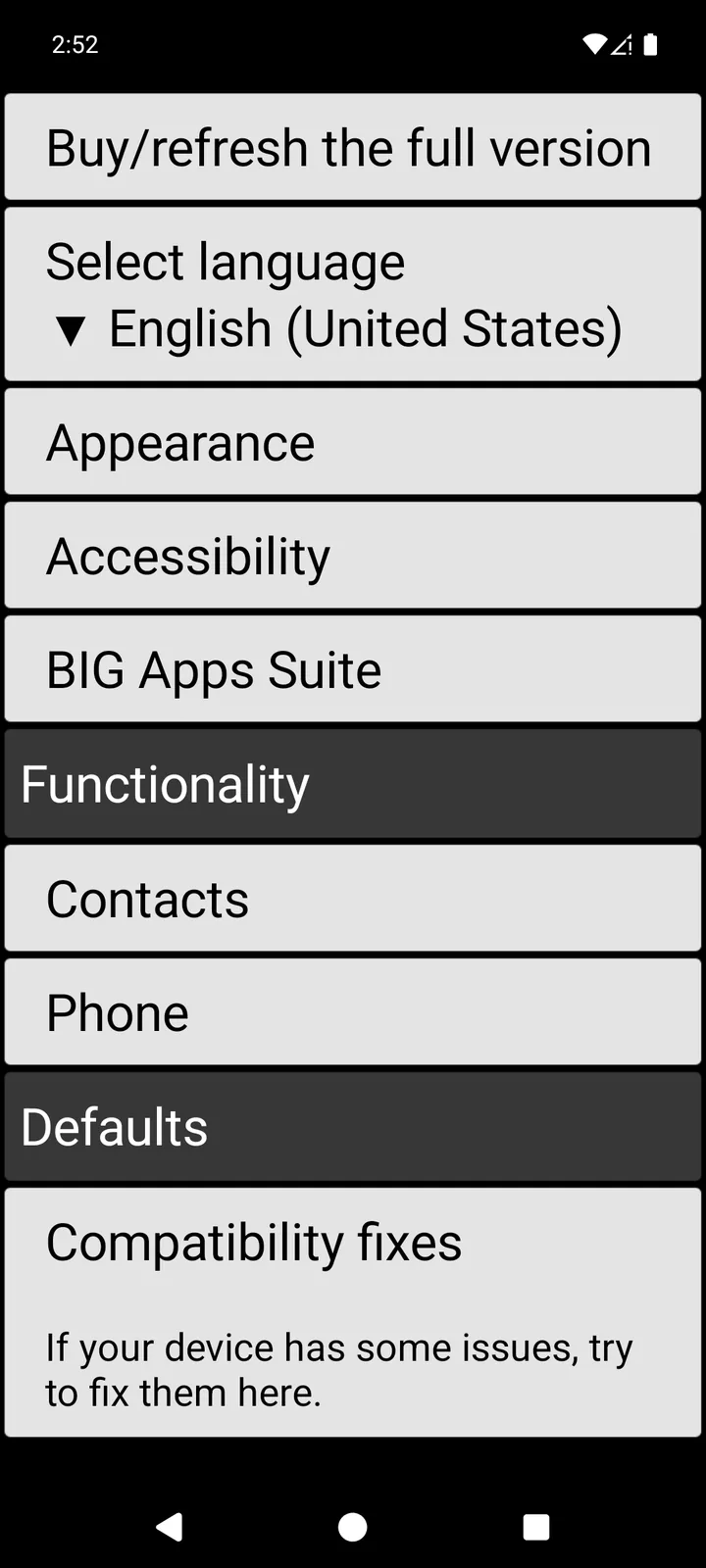
- Scroll down to the Incoming calls filter section and tap Activate the incoming calls filter for call blocking so that it shows Yes.
- Tap Blocked numbers: and choose Which are not in Contacts.
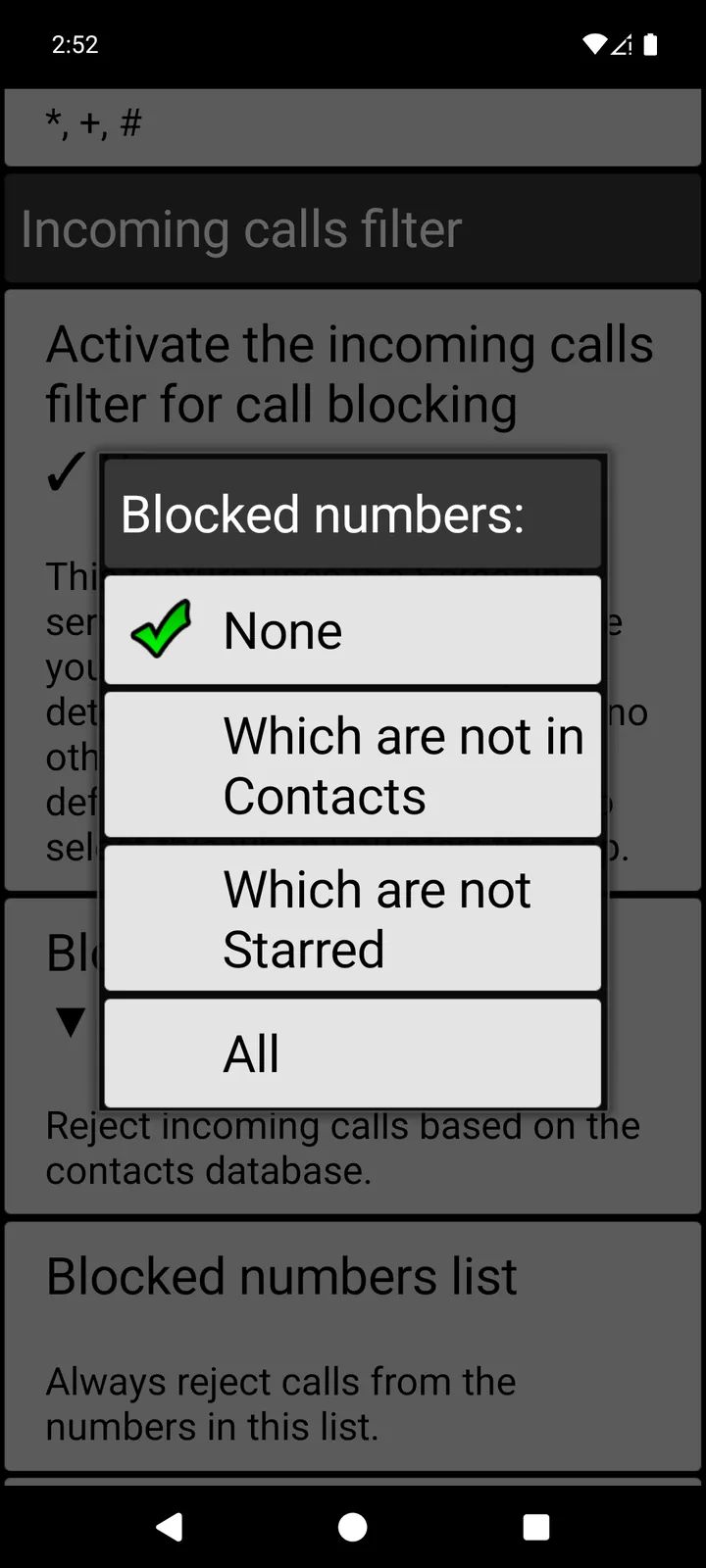
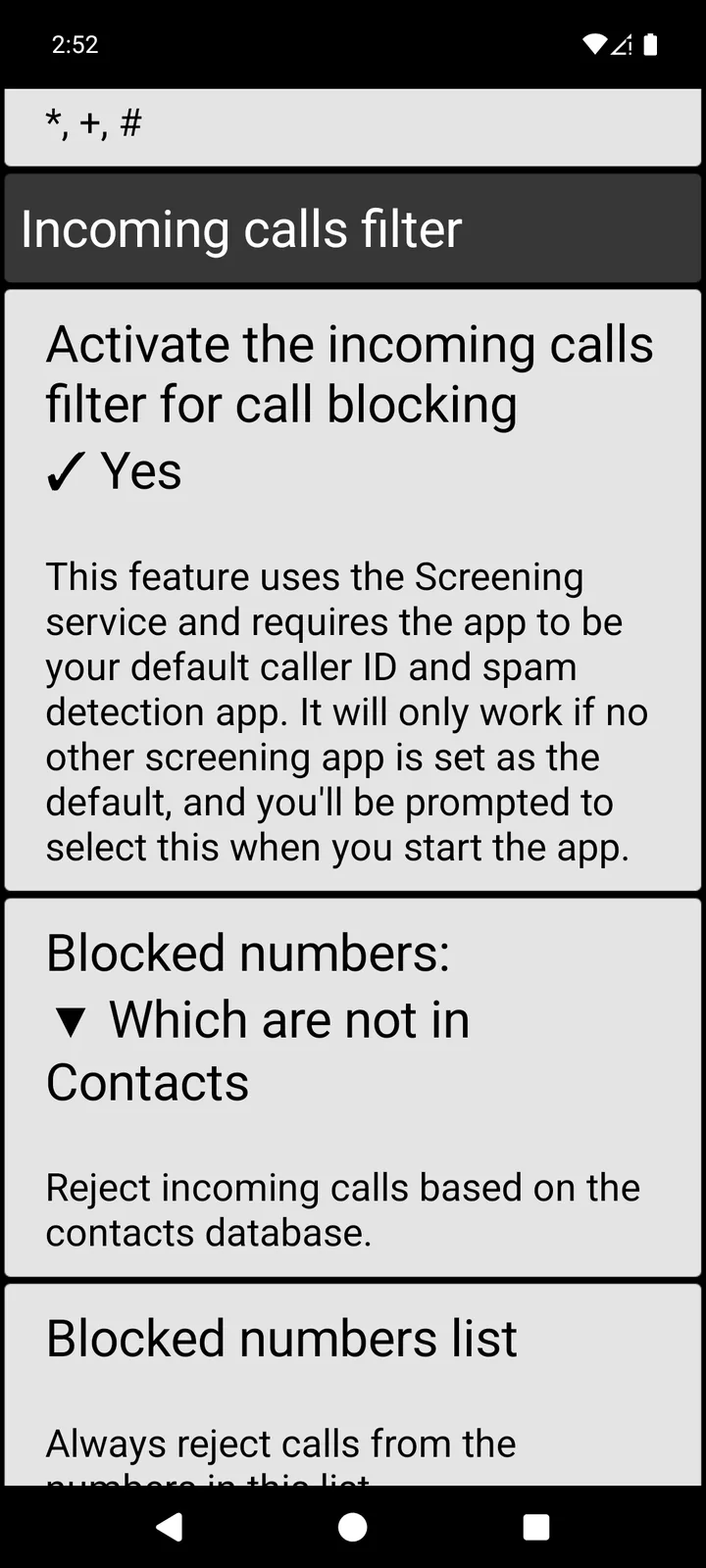
The note under the switch explains that the filter needs BIG Phone to be your default caller ID and spam detection app, and that you’ll be asked to choose it when you start the app. Choose BIG Phone. The filter only works if no other call-screening app is set as the default.
Get BIG Phone
BIG Phone is free with no time limit, and the incoming calls filter is in the free version. The free version shows only the 5 most recent call-log entries, and the keypad is disabled during a call.
What happens when an unknown number calls
We tried the setting on our own test phone with BIG Phone’s free version. Emma is saved in Contacts with her photo; the other number isn’t in Contacts.
- The number that isn’t in Contacts: the phone didn’t ring and no call screen appeared. BIG Phone rejected the call, and it didn’t show up in BIG Phone’s Recent calls.
- Emma: her call still rang, on BIG Phone’s large incoming-call screen with her photo and big Answer and Reject buttons.
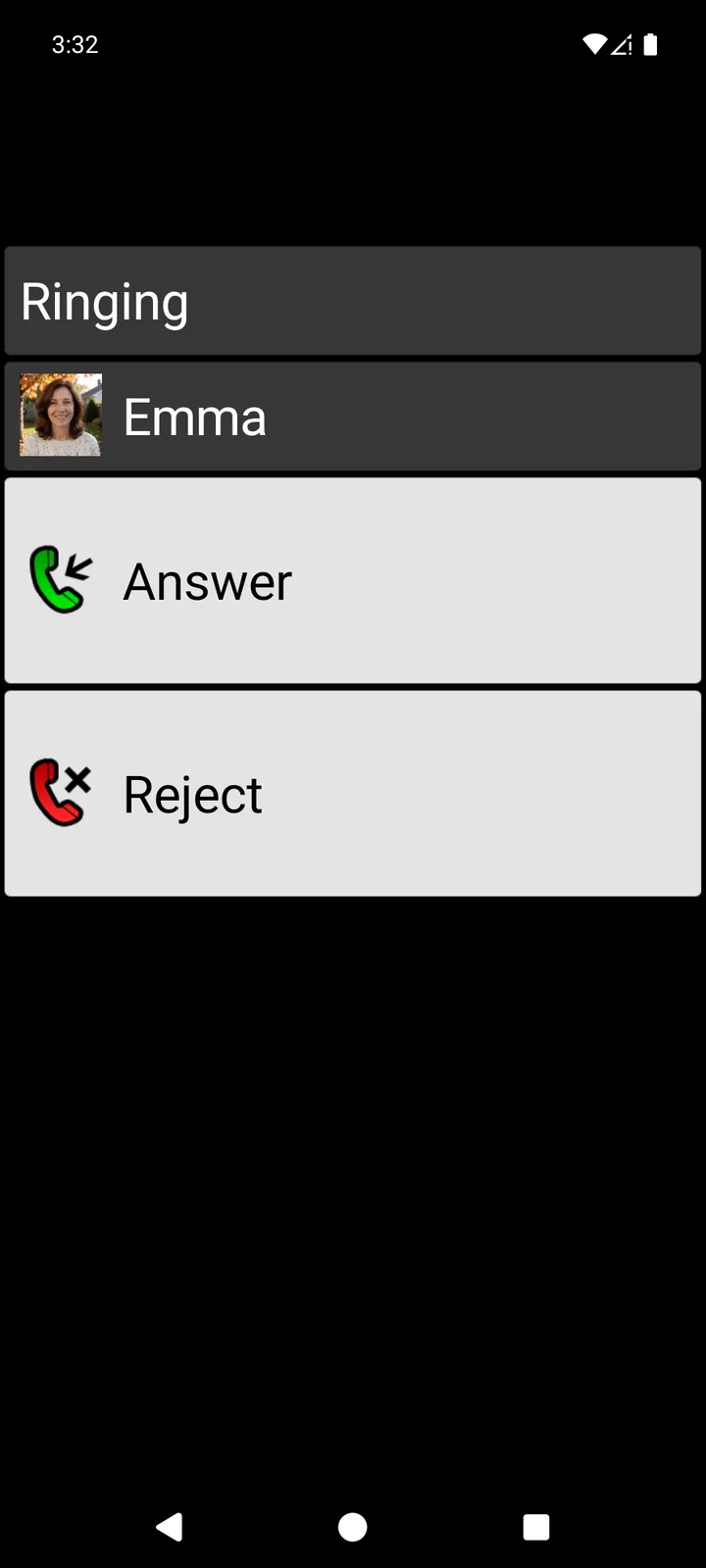
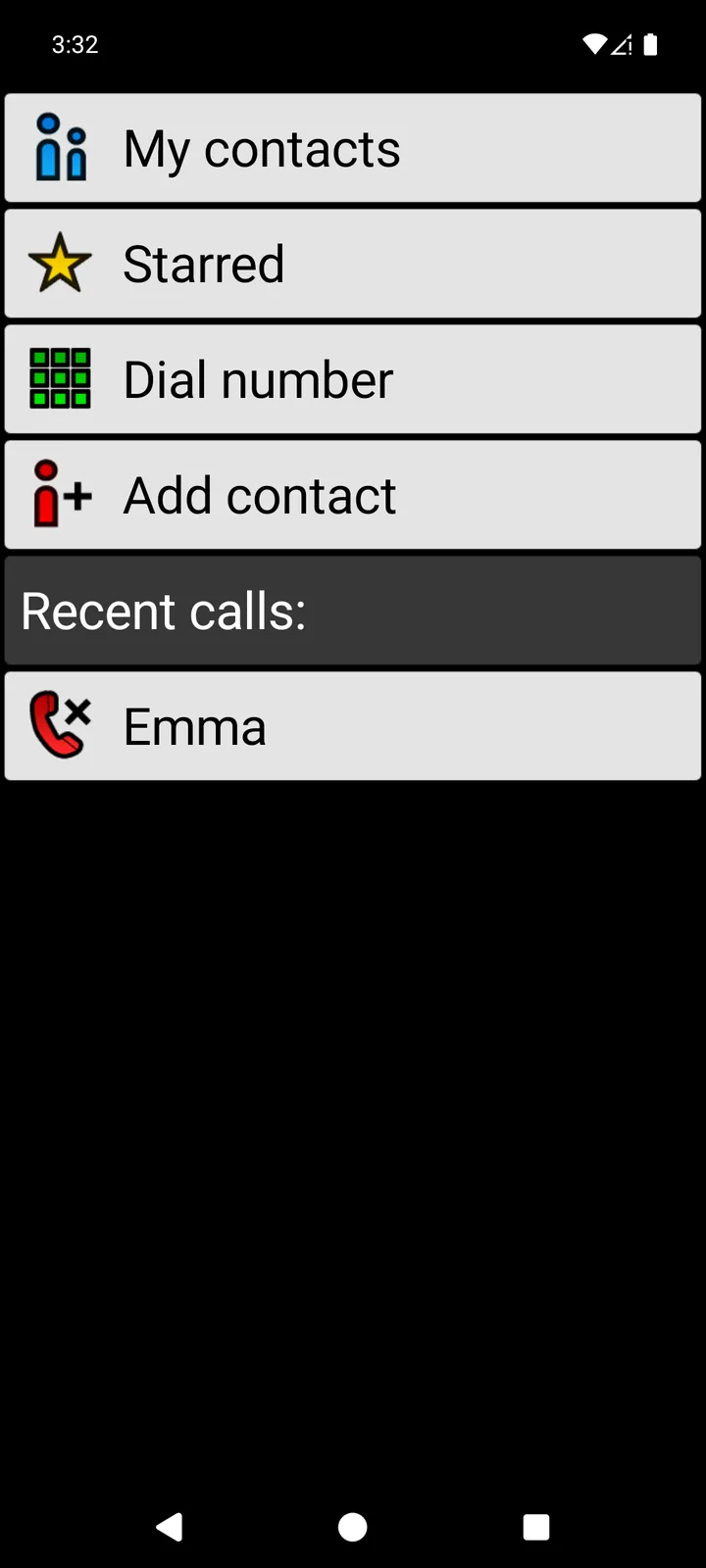
It isn’t Do Not Disturb: the people in your Contacts ring as usual. To make that call screen easier to answer, see our guide to making incoming calls easier to answer.
Before you switch it on: save the numbers that matter
The rule is strict. Every number that isn’t saved in Contacts is rejected, including a new doctor’s office, the pharmacy, a delivery driver or a family member calling from a new phone. On our test phone, a rejected call didn’t appear in BIG Phone’s Recent calls, so you may not notice that someone tried to reach you.
- Save the numbers you can’t afford to miss before you turn the filter on: doctors, pharmacy, family, neighbors and anyone who helps you.
- If you’re expecting a call from a new number, save it first or set Blocked numbers: back to None until the call comes.
- Want only a few people to ring? Which are not Starred rejects every call except those from your starred contacts. It’s stricter, so star everyone important first.
- Want to stop just a few numbers and let everyone else ring? Keep the filter on, leave Blocked numbers: on None and add those numbers to the Blocked numbers list, which always rejects calls from the numbers in it.
What this setting doesn’t do
- It works on normal phone calls. It doesn’t block WhatsApp or other internet calls.
- We didn’t test calls from hidden or private numbers, so we can’t say how the filter treats them.
- It isn’t spam detection. BIG Phone has a separate Potential spam call option that uses Android’s own spam signal; this guide doesn’t cover it.
- Voicemail and your carrier’s own call-blocking services are separate; this guide doesn’t cover them.
BIG Phone is part of the BIG Apps family
The family’s main app, and our flagship, is BIG Launcher: a simple home screen with large buttons, where the Phone button opens BIG Phone and the Messages button opens BIG SMS. BIG Launcher has 4.3 ★ on Google Play from 8,000+ reviews and more than 2 million downloads, and it’s available in 70 languages. Get BIG Launcher on Google Play.
With BIG Apps Suite PREMIUM, you get BIG Launcher, BIG Phone, BIG SMS and BIG Notifications for one price. You buy it in BIG Launcher. New BIG Apps Suite PREMIUM customers get a 7-day yearly trial. See the plans and free-version limits.
If BIG Launcher is on the phone too: BIG Launcher has the same Incoming calls filter under the three dots next to the clock → Preferences → Phone. When you open BIG Phone from BIG Launcher, it takes over BIG Launcher’s settings and shows no Preferences item, and a change made only in BIG Phone can be overwritten. So make the change in BIG Launcher, then open BIG Phone from BIG Launcher once.
Let only your contacts ring
Try BIG Phone free on your Android phone (Android 6.0 or newer). Large text, a clear call screen and the contacts-only filter are in the free version.
Frequently asked questions
How do I block calls from numbers that aren’t in my contacts on Android?
On a Samsung Galaxy, turn on Block calls from unknown numbers in the Phone app under Settings → Block numbers. On almost any Android phone (Android 6.0 or newer), install BIG Phone, make it your default phone app and set Blocked numbers: to Which are not in Contacts under Preferences → Phone → Incoming calls filter.
Does Block unknown/private numbers block numbers that aren’t in my contacts?
No. Android says calls from numbers that are not on your contact list are not affected by this feature. It’s meant for hidden and private numbers.
How do I silence unknown callers on Android?
Android’s Block unknown/private numbers stops hidden and private numbers from ringing, and they show up as missed calls. For numbers you can see but haven’t saved, BIG Phone’s contacts rule rejects the call, so the phone doesn’t ring at all.
Will I miss calls from my doctor or pharmacy?
With the contacts rule on, yes, if their number isn’t saved in Contacts. Save important numbers before you switch the filter on. On our test phone, a rejected call didn’t appear in BIG Phone’s Recent calls.
Is BIG Phone free?
Yes. The free version has no time limit and includes the incoming calls filter. It shows only the 5 most recent call-log entries, and the keypad is disabled during a call; the full version removes these limits.
